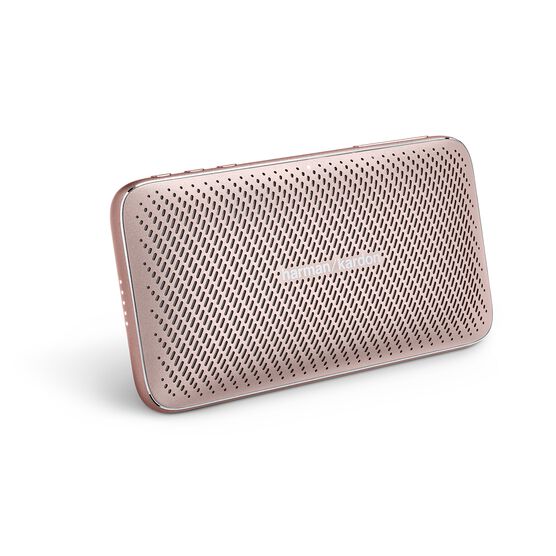




Harman Kardon Esquire Mini 2
Details https://mm.harmankardon.com/ESQUIRE+MINI+2.html?dwvar_ESQUIRE%20MINI%202_color=Gold-GLOBAL-CurrentUltra-slim and portable premium Bluetooth Speaker
Ultra-slim and portable premium Bluetooth Speaker


Wireless Bluetooth Streaming
Stream music wirelessly via Bluetooth to enjoy exceptional sound.

High fidelity sound
Powerful ultra-thin driver reproduce high fidelity sound.

Conferencing system
Enjoy crystal clear conference calls with the built-in dual microphone conferencing system with noise cancellation.

Up to 10 hours of playtime
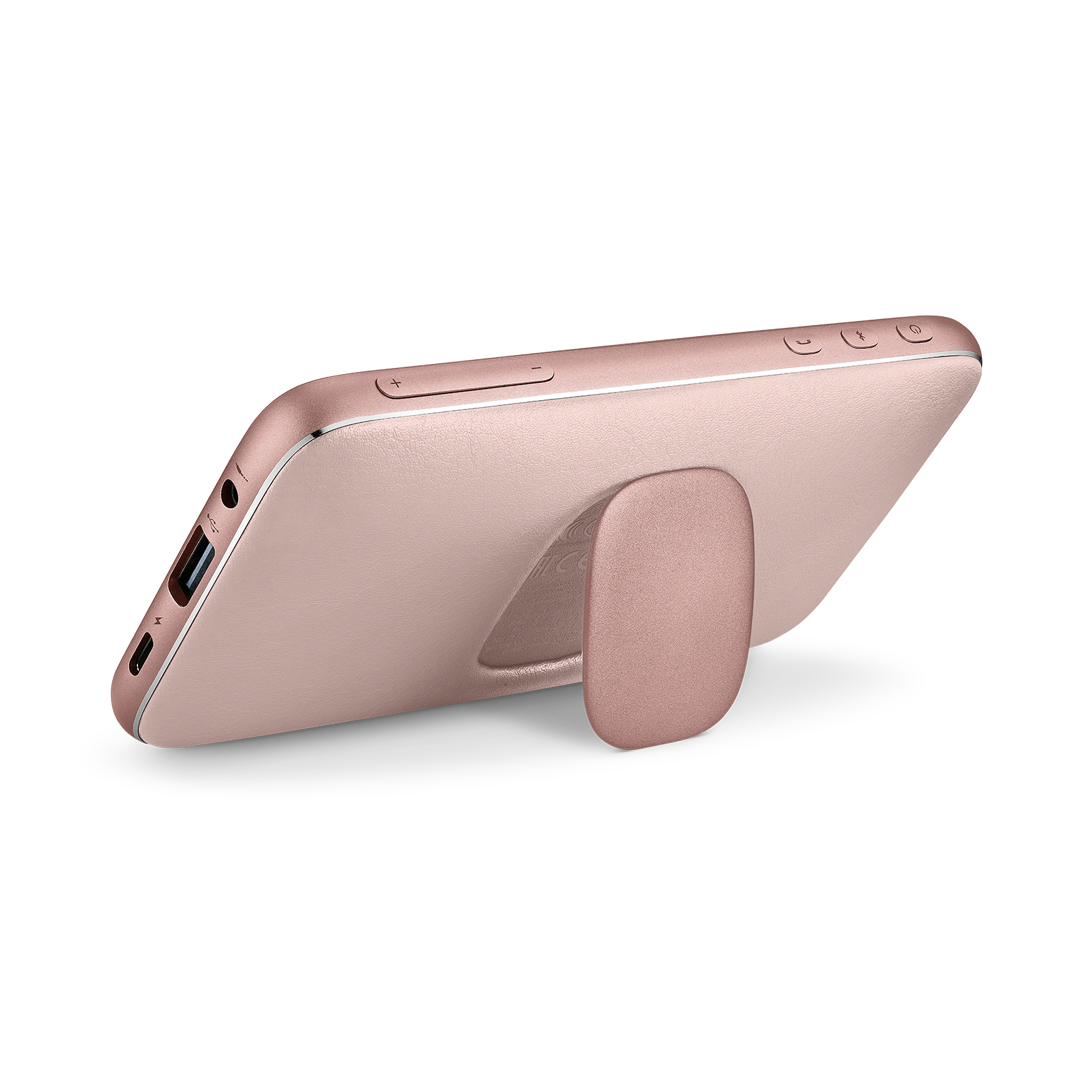
The rechargeable battery supports up to 10 hours of playtime and effortlessly charges device via an USB port.
Carrying pouch
Includes a carrying pouch for easy storage on the go.

Ultra-slim and portable, Harman Kardon Esquire Mini 2 is the perfect travelling companion and will fit into your briefcase or purse with ease. Even with a slim design, there's no compromise on sound. The powerful super thin speaker drivers and specially tuned acoustics deliver high-fidelity sound. The Esquire Mini 2 features a conferencing system with noise cancellation for crystal clear conference calls on the go. It supports up to 10 hours of playtime and comes with built-in powerbank to quickly charge your devices, so you will never run out of power again. With a variety of distinctive colors and included carrying pouch, the Harman Kardon Esquire Mini 2 is the ideal companion for your next business or leisure travel destination.
General Specifications
Dimensions
Control and Connection Specifications
Battery
Features
Spec Sheet (EN)
English 8 MB- 1 x Esquire Mini 2
- 1 x Type C cable
- 1 x Carrying Pouch
- 1 x Quick-Start Guide
- 1 x Safety Sheet
- 1 x Warranty Sheet

The latest owner's manuals, quick start guides, and documents.
Esquire Series
\nNote: This action will erase all settings and Bluetooth data from the device. You will be required to pair and connect to your devices again after this action is done.
\n\n
Esquire, Esquire 2, Esquire Mini
\n- Turn the speaker ON
- Press and hold the Vol (+) & Phone buttons for more than 5 seconds
- The speaker will power off and be factory reset
\n
Esquire Mini 2
\n- Turn the speaker ON
- Press and hold the Vol (+) & Bluetooth buttons for more than 5 seconds
- The speaker will power off and be factory reset
Esquire Series
\nNote: This action will erase all settings and Bluetooth data from the device. You will be required to pair and connect to your devices again after this action is done.
\n\n
Esquire, Esquire 2, Esquire Mini
\n- Turn the speaker ON
- Press and hold the Vol (+) & Phone buttons for more than 5 seconds
- The speaker will power off and be factory reset
\n
Esquire Mini 2
\n- Turn the speaker ON
- Press and hold the Vol (+) & Bluetooth buttons for more than 5 seconds
- The speaker will power off and be factory reset


